Choose Snapmaker U1 when one loaded head per colour fits the job and its supplied PLA matches the required palette. Choose Bambu P2S Combo when its four-slot AMS route and documented drying mode fit the project. Complete the colour and preparation basket before deciding which purchase makes sense.
Snapmaker supplies four 500 g PLA rolls with U1. Its U1 FAQ gives the standard colours as Red, Pearl White, Black and Yellow. If your model calls for a different palette, budget for the shades you need. With P2S Combo, count the compatible spools you already have before buying filament for its four AMS slots.
For a four-colour PLA part, start with the slicer’s estimate for each colour and check that the model fits. The feed arrangement alone tells you little about print time, purge waste or surface finish.
The useful difference is where each colour waits
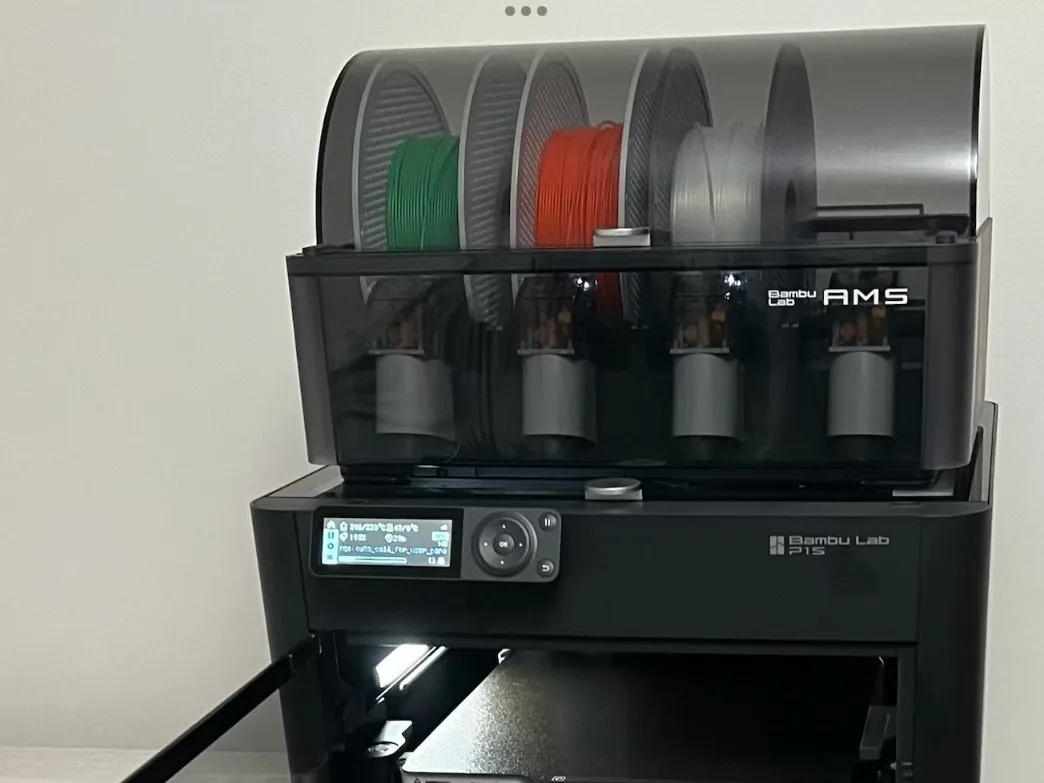
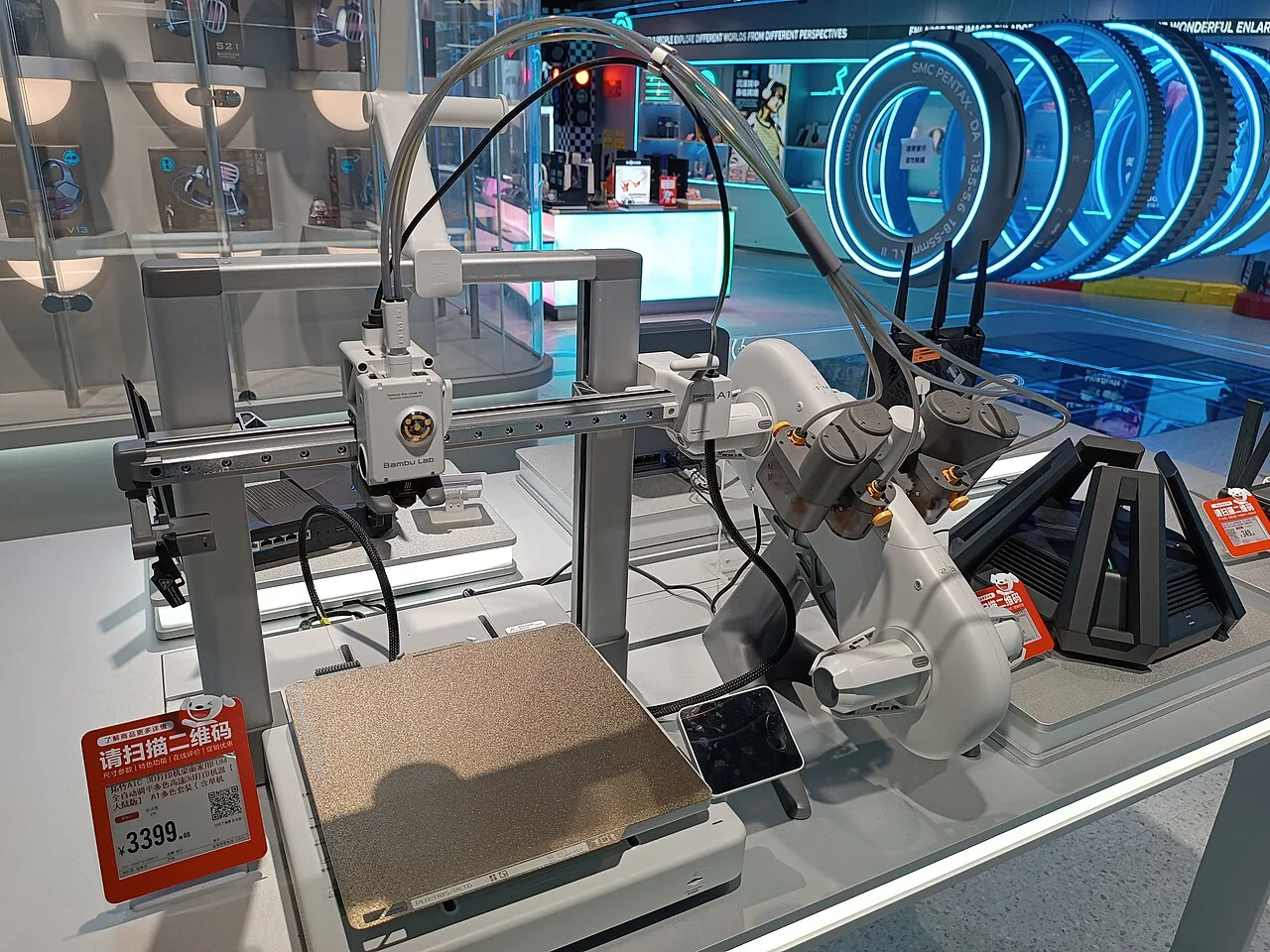
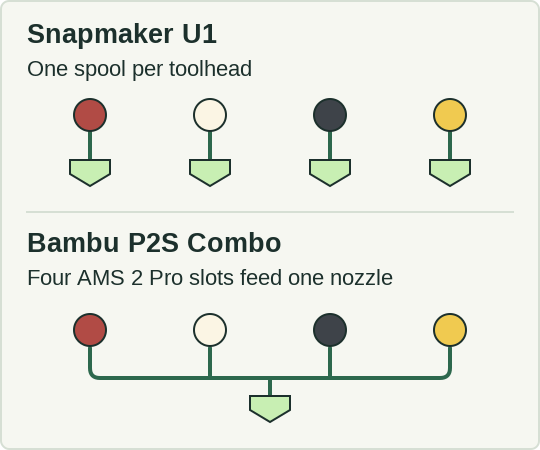
U1 parks four independently loaded toolheads. P2S Combo puts four spools in AMS 2 Pro and routes them through one nozzle. That architecture changes preparation and colour assignment before it says anything about output.
| Four-colour task | Snapmaker U1 | Bambu P2S Combo |
|---|---|---|
| Load the four colours | Put one compatible 1.75 mm PLA in each toolhead path | Put four compatible spools in AMS 2 Pro slots |
| Keep colours assigned | Each colour remains associated with its loaded head | AMS selects among four slots feeding one nozzle |
| Supplied colour material | Four 500 g SnapSpeed PLA rolls in fixed colours | The Combo includes AMS 2 Pro; allow for any required colours missing from your selected order and spool rack |
| Before the job | Match the included shades and quantities to the slice; assign one colour per head and follow the calibration instructions for your firmware | Match each spool to its AMS slot and choose a drying mode if the PLA needs one |
| US printer price on November 28, 2026 | $699 | $649 including one AMS 2 Pro |
Compare the exact kits and missing items
On November 28, 2026, Snapmaker listed the US U1 kit at $699, including four 500 g SnapSpeed PLA RFID spools and a spare 0.4 mm stainless hotend. The four included rolls total 2 kg. Count a roll towards your project only when it supplies the right shade and enough filament.
Bambu listed the US P2S Combo at $649 on the same date with AMS 2 Pro and the 2-in-1 buffer. That US configuration runs on 100–120 V AC, 50/60 Hz. The price excludes optional filament packs. Confirm the shades and quantities in your chosen bundle before assuming all four colours are covered.
The P2S Combo starts $50 lower at those prices. Whether it stays cheaper depends on the missing filament and drying equipment.
Compare delivered totals for your address. Include tax, shipping and any missing material or equipment. You may need fewer than four new spools on either route.
Build the colour list before choosing the mechanism
Suppose you want to make a small four-colour display piece that fits either printer. Start with the slicer’s estimate for your own design, including material used for supports and colour changes.
For each of the four colours, write down:
- Exact PLA brand and grade
- Required shade
- Estimated grams from your actual slice
- Whether U1’s listed default spool covers that shade and quantity
- Whether the P2S spool fits the AMS and its filament is approved for that feed path
- Missing replacement or top-up cost
Keep four separate entries. Write “unknown” for an unverified input; a blank does not make the routes equivalent.
On U1, compare the project’s shade and sliced quantity against Red, Pearl White, Black and Yellow, then assign each usable included roll or replacement to one toolhead. Leave the new-material cost at $0 for an included shade and quantity that already covers the need; price only a missing shade or top-up. On P2S, assign each confirmed spool to one AMS slot. If a P2S spool does not meet AMS dimensions or material permission, choose a permitted spool rather than assuming every PLA package fits.
The missing-material line can change which hardware price looks better. For example, suppose U1’s actual supplied shades and quantities cover the entire project, so its new material cost is $0. These are hypothetical amounts, not current spool quotes:
| Missing colour material in this example | U1 hardware plus missing material | P2S Combo hardware plus missing material |
|---|---|---|
| U1 $0; P2S $40 | $699 | $689 |
| U1 $0; P2S $70 | $699 | $719 |
At a $50 difference in missing material, these two merchandise lines tie. Any extra drying, compatible components, tax or delivery still belongs in each route’s actual basket and may change the choice. If U1’s included palette does not match, put its replacement cost back in rather than keeping an artificial $0.
U1 asks for version-specific setup work
U1 has a proprietary 0.4 mm stainless hotend on each of its four toolheads, plus a spare in the kit. Snapmaker estimates about 120 minutes from unboxing to the first print, including about 65 minutes for setup and calibration. U1 setup FAQ
Snapmaker released U1 firmware V2.1.2 on November 18. Follow the update instructions for the version you are installing. If you are installing V2.0.0, update the nozzle configuration under Toolhead Info, then rerun multi-toolhead offset calibration and heated-bed levelling.
Snapmaker recommends multi-toolhead offset calibration at first setup and after a hotend replacement, a collision or visible alignment trouble. Allow about 14 minutes 40 seconds for dynamic-flow calibration across four heads. A filament change resets the dynamic-flow value to its default.
On P2S Combo, allow time for initial printer calibration, AMS setup and loading each slot before the first four-colour print.
Drying is a separate decision from colour feeding
For standby drying, P2S can power one AMS 2 Pro through its 6-pin cable. To run the dryer while the printer prints, add Bambu’s external AMS power adapter. The Combo does not include it. P2S drying and power FAQ
On P2S, Bambu’s model-specific drying instructions support automatic loading and unloading while that same AMS 2 Pro dries, from printer firmware 01.02.00.00. This concurrent mode requires the external adapter; keep the powered printer and required 6-pin connection in place. Before drying a mixed load, check the temperature limit for each spool. The AMS can lower the cycle temperature to protect the lowest-softening filament in the unit. If standby drying meets the project, do not add an adapter merely because the comparison mentions one.
For the power connections and adapter choices, use the AMS 2 Pro drying-power guide.
For U1, budget separately for a filament dryer if your PLA needs one. Snapmaker’s optional U1 Top Cover was $149 on its US store on November 28. It provides passive chamber heating; it cannot actively dry the four spools. You can leave it out of this ordinary PLA comparison.
For carbon- or glass-filled materials, start a separate comparison. U1 ships with stainless hotends. On P2S, a hardened nozzle still leaves a second question: can that exact filament grade go through AMS? Check the maker’s nozzle, feed, enclosure and drying requirements for the grade you want.
Nominal build size does not settle a close-fitting part
The U1 FAQ lists a nominal 270 × 270 × 270 mm volume. The P2S specification lists 256 × 256 × 256 mm.
Those numbers are useful for an early screen, but the 14 mm difference on each headline axis is not proof that a borderline model prints on U1 and fails on P2S. Orientation, brim, purge arrangement, supports and actual toolpaths still matter. This four-colour example deliberately stays well inside both nominal boxes. If your decision depends on the extra 14 mm, slice the exact model with the current machine and material profiles before buying.
Choose the mechanism that solves the job
Choose P2S Combo for its AMS route
Choose this route when four compatible PLA spools feeding one nozzle meet the project, and AMS 2 Pro’s documented preparation mode is useful. Confirm the current selected offer, count any suitable material you already own or actually receive, then add only the missing colours, quantities and preparation.
Choose U1 for one loaded head per colour
Choose this route when you want to keep each colour in its own head. Confirm the supplied shades, roll sizes and delivery estimate for your address before placing the order.
Buy neither yet
For a particular finish, inspect a representative print in the intended material. For time and waste estimates, compare slices of your actual model with the intended profiles. If missing shades or preparation costs could change your choice, finish the colour card before ordering.
Keep a working setup you already own
If a working four-colour setup already accepts the chosen PLA and completes the job, keeping it requires $0 in new-printer spending today. Replace it only when U1’s separate heads or P2S’s AMS route solves a named limitation after non-transferable parts and new material costs are included. Do not assume resale value or count sale proceeds that have not been established.
Copy this final setup card
| Check | Snapmaker U1 route | Bambu P2S Combo route |
|---|---|---|
| US reference price, November 28, 2026 | $699; confirm your delivered price | $649; confirm your delivered price |
| Four required shades | Match the shades in the selected kit to the slice | Check supplied and owned compatible spools; buy any missing shades |
| Quantity from actual slice | Use included material that covers the need; price only replacements or top-ups | Confirm each supplied/owned/selected compatible spool is enough; price only gaps |
| Colour assignment | One confirmed colour per toolhead | One confirmed colour per AMS slot |
| Firmware and setup | Record current version; apply version-specific nozzle, offset and bed instructions | Record current version; follow P2S and AMS setup instructions |
| Drying or storage | Price a permitted separate route if the chosen PLA needs it | Choose the documented AMS drying/power mode if needed |
| Geometry | Verify the actual U1 slice | Verify the actual P2S slice |
| Starting printer subtotal in this example | $699 | $649 |
| New-printer spending if you keep a suitable setup | $0 | $0 |
| Costs still to price | Any missing material or preparation, tax and delivery; confirm order timing | Any missing material or preparation, tax and delivery |
P2S Combo starts $50 lower at the November 28 prices. If U1’s included PLA saves you $50 in filament compared with the P2S route, the two baskets tie. A larger saving puts U1 ahead. Choose P2S for its AMS feed and drying options. Choose U1 when having one loaded head per colour is worth the difference in your complete basket.