Affiliate disclosure: As an Amazon Associate I earn from qualifying purchases.
For a new purchase, choose the P1S if its lower price buys the setup you need. I’d pay more for the P2S if you’ll use its hardened parts, quick-swap hotend or supported drying while it prints. If you already have a working P1S, price the parts you’re missing before you price a new printer.
Bambu’s November 28, 2026 US prices put the P2S $100 above the P1S as a standalone printer and $140 above it with AMS 2 Pro. For the PETG-CF project below, fitting hardened parts to the P1S narrows the difference to $96.02.
Start with the box you are comparing
Bambu’s US store listed these printer packages on November 28, 2026. Prices exclude tax, delivery and project extras. Confirm which feeder and accessories your order includes.
| Selected package | US price | What you are choosing |
|---|---|---|
| P1S standalone | $349 | Printer without an automatic feeder |
| P2S standalone | $449 | Newer printer without an automatic feeder |
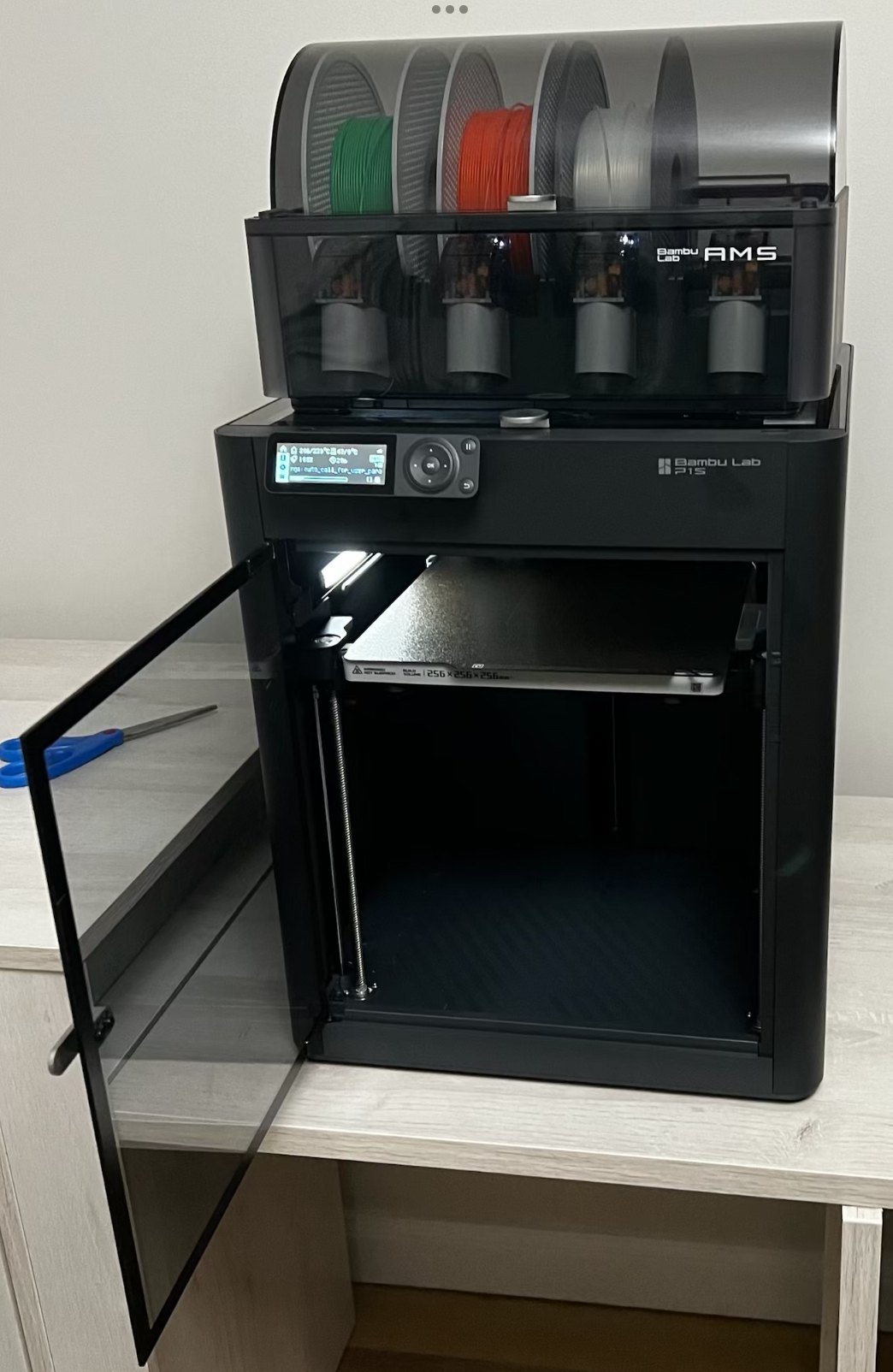
| P1S AMS 2 Pro Combo | $509 | P1S with AMS 2 Pro; the advertised box includes a Switching Adapter |
| P2S Combo | $649 | P2S with AMS 2 Pro; the external drying adapter is excluded |
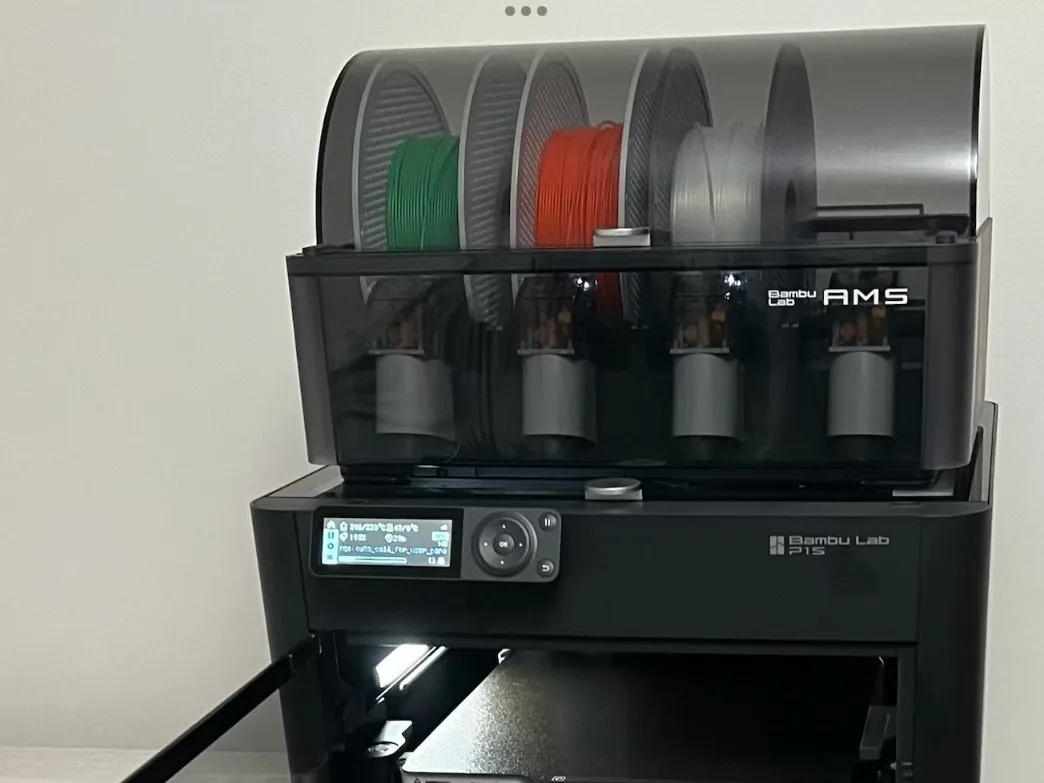
The P1S Combo with the original AMS was $479. It saves $30 over the P1S AMS 2 Pro Combo if you only need automatic feeding. Choose the $509 bundle if you want AMS 2 Pro’s supported drying cycles and the included adapter.
The current P1S AMS 2 Pro box lists the feeder, a 4-pin cable, Switching Adapter, filament buffer and PTFE coupler. It also expressly excludes the usual PLA spool supplied with some other P1S selections. Budget for the filament you intend to use; don’t transfer another kit’s sample-spool inventory to this one.
What the P2S changes in everyday preparation
The P2S comes with hardened parts and a different hotend mount. How often you print abrasive materials or swap nozzles matters more to the purchase than the newer model number.
Hardened wear parts are already fitted. The P2S comes with hardened steel extruder gears and a hardened nozzle. The P1S’s stock nozzle and gears are stainless steel, and Bambu calls for upgrades for fibre-reinforced printing. That can make the P2S a simpler starting basket for an appropriate abrasive grade, although a hardened nozzle alone does not qualify every carbon-fibre filament, diameter or feed route.
The hotend change is different. Bambu documents a one-clip quick-swap assembly on P2S without disconnecting wiring. That still involves unloading and cooling the nozzle; the P2S manual, section 11.2.2 also requires selecting the replacement nozzle type after a size or material change. For someone changing nozzle sizes regularly, that is a concrete handling difference. If you expect to keep the supplied nozzle for ordinary projects, it may matter less than buying filament and preparation equipment within budget.
If you print Bambu PETG HF, compare the P2S high-flow hotend’s slicer estimates on a broad insert and a small tag before buying the upgrade.
Extrusion control is also newer. Bambu describes a servo-driven extruder and an eddy-current sensor that calibrates flow dynamics on P2S. In practical terms, the printer has different hardware for controlling how filament is pushed through the nozzle and adjusting flow. That is a more substantial change than the screen alone, but it is still a manufacturer-described capability: it does not establish how much a particular print will improve or how many failures you will avoid.
The interface and camera are newer. P2S has a 5-inch touchscreen and a 1080p high-frame-rate camera, versus P1S’s listed 720p, 0.5-fps camera. Those differences matter to on-machine controls and remote viewing.
P2S regulates airflow, but it is not an actively heated chamber. Its FAQ explicitly distinguishes automatic internal/external circulation from active chamber heating. Don’t buy it because a “50°C chamber” headline looks like a user-controlled heater. Match the intended material’s printer and preparation guidance instead.
Work out the drying mode before adding an adapter
Both bundles use the same AMS 2 Pro. The P1S needs external power to dry filament between jobs. The P2S can power one unit in standby, so you can dry a spool before printing without buying an adapter.
| Intended use with one AMS 2 Pro | P1S package | P2S package |
|---|---|---|
| Automatic feeding, no drying requirement | Check the supplied connection kit | Check the supplied connection kit |
| Drying between print jobs | External drying power required; current Combo advertises an adapter | Printer can power one unit while in standby |
| Feeding and drying in the same AMS 2 Pro during a print | Not supported for P1S in Bambu’s current drying guide | Official external adapter and P2S printer firmware 01.02.00.00 or later |
Bambu’s AMS drying-function guide lists P1S and P1P as not yet supporting simultaneous feeding/unloading and drying in the same AMS 2 Pro. For P2S, it lists printer firmware 01.02.00.00 or later. Check the installed printer firmware as well as the power arrangement; buying an adapter does not add support to an unsupported host.
The official AMS 2 Pro Switching Adapter cost $32.99 at Bambu’s US store on November 28, 2026. If you want the same AMS 2 Pro to dry filament while it feeds the P2S, and you do not already own the adapter, the P2S Combo and adapter together cost:
$649 + $32.99 = $681.99.
That is $172.99 above the $509 P1S AMS 2 Pro Combo. The P1S bundle already includes the adapter for drying between jobs. The P2S price here includes the separate adapter needed to dry while the same unit feeds a print, subject to the firmware requirement above.
Our AMS 2 Pro drying-power guide explains the connection and firmware conditions in more detail. An external supply does not make the feeder a standalone dryer or increase its 65°C maximum temperature. The drying-function guide also says firmware lowers the temperature to protect filaments with lower softening temperatures; 65°C is not a promised setting while the same unit feeds a print. A filament can be permitted through a feeder while still needing preparation that feeder cannot provide.
Put a named material in the basket
For a concrete example, compare black Bambu PETG-CF, a full 1-kg spool, through AMS 2 Pro. This grade permits a hardened 0.4-mm nozzle; Bambu recommends 0.6 mm to reduce clogging, but does not require it for this route. The official P1S-compatible 0.4-mm material profile explicitly includes P1S. The P2S manual, section 8.2, lists PETG-CF with a hardened nozzle, excluding 0.2 mm.
On November 28, 2026, the parts for this PETG-CF job totaled $591.96 for the P1S and $687.98 for the P2S at Bambu’s US store, before tax and delivery. Both setups use the supplied Textured PEI plate. The grade’s technical data sheet specifies glue, so the basket includes a stick if you do not already have suitable adhesive.
| Required purchase for this example | P1S route | P2S route |
|---|---|---|
| Printer with AMS 2 Pro | $509 | $649 |
| Hardened P1 gear assembly and complete 0.4-mm hotend | $43.98 | Hardened parts included |
| PETG-CF, black, 1 kg with spool | $34.99 | $34.99 |
| Bambu glue stick, one, if not owned | $3.99 | $3.99 |
| Known merchandise subtotal | $591.96 | $687.98 |
The P2S basket costs $96.02 more for this job with drying before the print. Adding the optional adapter for drying during a print brings the full P2S basket to $687.98 + $32.99 = $720.97. On the P1S, install the hardened parts and select the correct nozzle configuration before using this grade. Its stock stainless hardware is not this example’s configuration.
Dry before printing. Bambu’s equipment-specific preparation table lists PETG-CF at 65°C for 8 hours in AMS 2 Pro. Bambu’s US product notes say the AMS 2 Pro can only reach its 65°C drying maximum when the room is above 25°C. The selected P1S Combo includes the external adapter; P2S can power one unit in standby, so this before-printing example does not add the $32.99 adapter. Keep the printer connected and powered with the supported cabling. A reduced-temperature drying cycle during a print is not an equivalent preparation cycle.
The PETG-CF data sheet also recommends a 35–50°C chamber environment. Neither printer supplies an active chamber heater. Check the actual environment, current profile and project requirements; the basket does not establish printed-part strength or guarantee that the printer chamber reaches that condition. Tax, delivery, missing dry storage and extras for a changed configuration remain outside the subtotal.
For ordinary unfilled material that does not require hardened wear parts, leave that upgrade out. Price the project you intend to make rather than adding parts to make the two columns look alike.
Check the usable print area
Both are sold with a 256 × 256 × 256 mm nominal build volume. The P1S listing adds two important qualifications: Bambu Studio defaults to 250 mm printable height, and the cutter stopper occupies part of the bed unless the documented full-volume procedure is followed.
Bambu’s P1 full-volume instructions document the full-volume workaround without AMS. The front-left cutter exclusion is 18 × 28 mm; do not count that area as available in an ordinary AMS job. The linked procedure changes the excluded area and height together, with chamber-clearance and Z-hop checks. It does not establish a separate 256-mm-height configuration with AMS.
Bambu Studio’s P2S 0.4-mm profile in version 2.8.2.61 sets a 256 mm printable height and lists no excluded bed area. If P1S’s 250-mm default height or front-left cutter area is the obstacle, compare the same sliced part, nozzle and print mode on P2S before ruling it out. A 256-mm headline alone still does not guarantee fit: supports, brims and orientation consume available space.
Workspace is another measurement. P1S’s listed body is 389 × 389 × 458 mm, compared with 392 × 406 × 478 mm in the P2S specification sheet. Neither figure is the complete station with feeder, spools, rear access and room to remove the plate. Measure the actual arrangement from the relevant installation instructions. An enclosure and filter also do not, by themselves, establish that a room or cabinet is suitable for the chosen material.
If you already own a P1S, compare incremental spending
The purchase price of a new P1S is not your upgrade cost. Your retained printer, feeder and usable parts are already in place.
If you plan to reuse one original AMS or AMS 2 Pro with a standalone P2S, include the P2S Filament Buffer and check the required 6-pin cable and PTFE connections in Bambu’s connection guide. Do not assume the P1S buffer transfers. Add that buffer and any missing connection parts to the $449 printer price.
Start with one sentence: “My current P1S cannot do ___, and that matters because ___.” Then identify whether the gap is a nozzle, a supported feeder arrangement, filament preparation, a handling preference or something a P2S genuinely changes.
If the feeder is the part you want to change, our AMS vs AMS 2 Pro comparison for P1S and X1C owners shows which parts you can keep and what you’ll need to buy.
For a hypothetical owner who only needs compatible hardened wear parts, compare the required parts and installation with replacement—not a full new P1S Combo against a P2S Combo. For an owner who wants the newer screen, camera and hotend handling, those are legitimate preferences, but they should be the stated reason for spending.
Use this owner calculation:
Replacement outlay = new printer/package + missing required parts + tax/delivery − actual net resale proceeds.
Keep the resale figure blank until you have a realistic amount after selling costs. Compare that total with only the new parts needed to retain the P1S. Neither route earns back its cost merely because a specification or advertised top speed is higher.
Which would I choose?
For a first enclosed printer, I’d choose the P1S for ordinary filament if its selected bundle covers the feeding and drying you need. For the PETG-CF basket above, the P2S costs $96.02 more. I’d pay that for easier hotend changes if I swap nozzles often. If you also want supported drying during a print, allow another $32.99 for the adapter if you don’t already have it. The P1S remains the lower-cost route if you’re comfortable fitting the hardened parts and drying between jobs.
For an existing P1S owner, keep it unless a specific unmet requirement makes the replacement worthwhile. Fill the basket, confirm the grade and drying mode, then decide whether the P2S premium buys a needed change. A newer model name alone is a poor reason to replace equipment that already serves the job.